

 SHOP NOW
How to order and pay with mobile money
Find your stock, pay with MTN MoMo or Airtel Money, and MarketPort holds the money until your goods arrive.
-
1
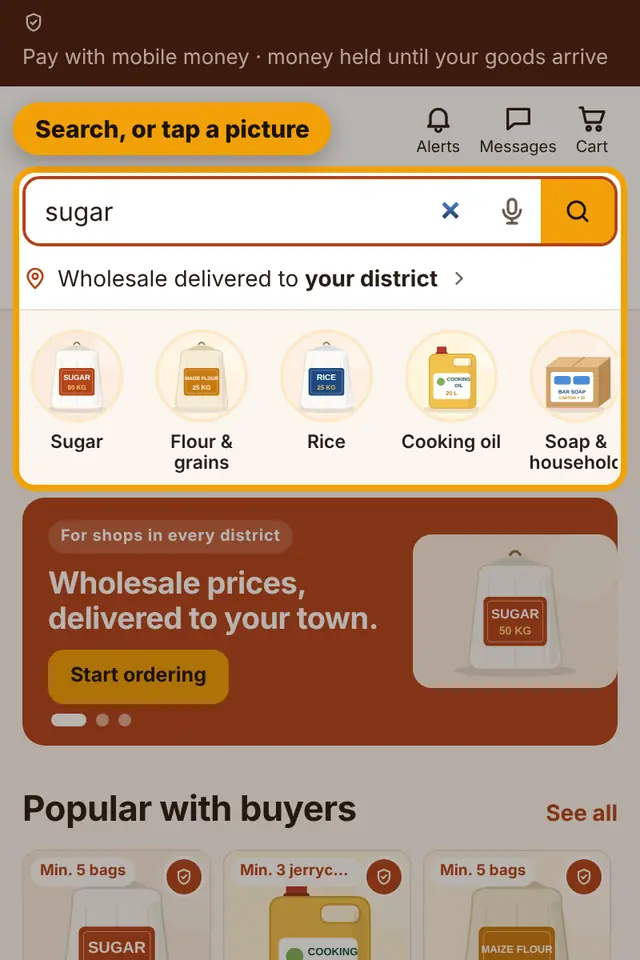
Search for what you need, or tap a category picture.
-
2
Open a product, choose how many you want (at least the minimum order), then tap Add to cart or Order now.

-
3
In your cart, check the items and tap Go to checkout.

-
4
Choose your district and how the goods should come to you: bus, taxi, agent or agent shop.

-
5
Type who receives the parcel, choose MTN or Airtel, type the number that will pay and tap Pay.

-
6
A prompt comes on your phone. Enter your mobile money PIN to approve. The page updates by itself.

-
7
Your order shows a delivery code. Give it to the agent or seller only after you have checked your goods.

Still stuck?
Call or WhatsApp MarketPort and we will help you, or visit a MarketPort agent.