

 SHOP NOW
Help center
Answers to common questions about buying and selling on MarketPort.
Guides with pictures
Getting started
What is MarketPort?
MarketPort is a wholesale market on your phone. Shops, schools, restaurants and other businesses buy stock in bulk from wholesalers, distributors and manufacturers. Every seller is checked (ID and business) before they can sell.
How do I create an account?
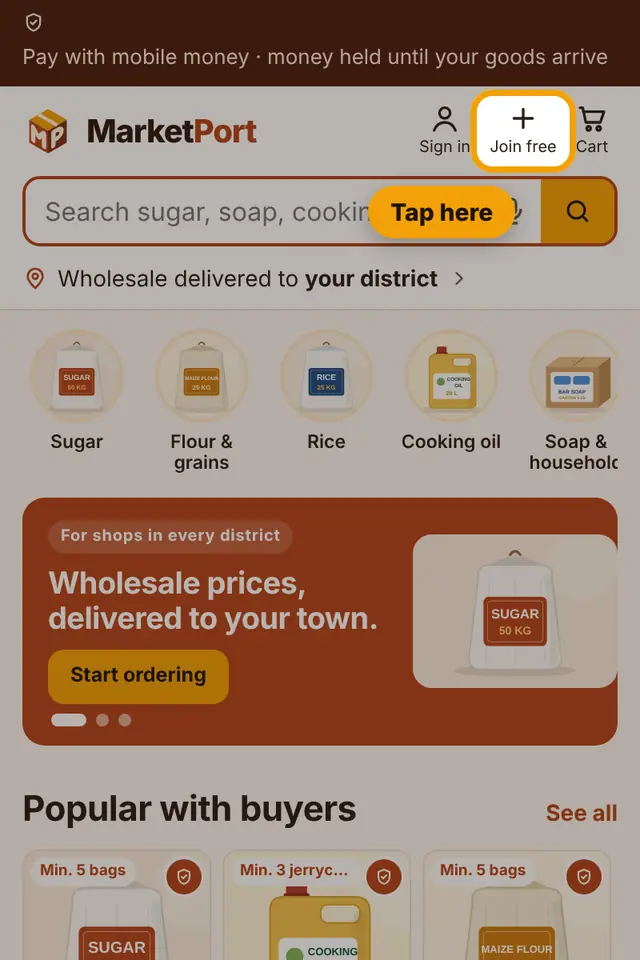
Tap Join free at the top. Choose buyer or supplier, then enter your name, phone number, district, email and a password. We send a 6-digit code to your email to confirm it.
Does it cost anything?
Buying is free. You only pay for your goods and delivery. Suppliers pay a small commission when they sell.
How do I change my country or language?
Tap the flag at the top of the page. Choose your country and English or French. The site then shows sellers, prices and districts for that country.
I forgot my password
On the sign-in page tap Forgot password? and follow the steps. You can also ask MarketPort support (contacts at the bottom of this page).
Finding products
How do I find what I need?
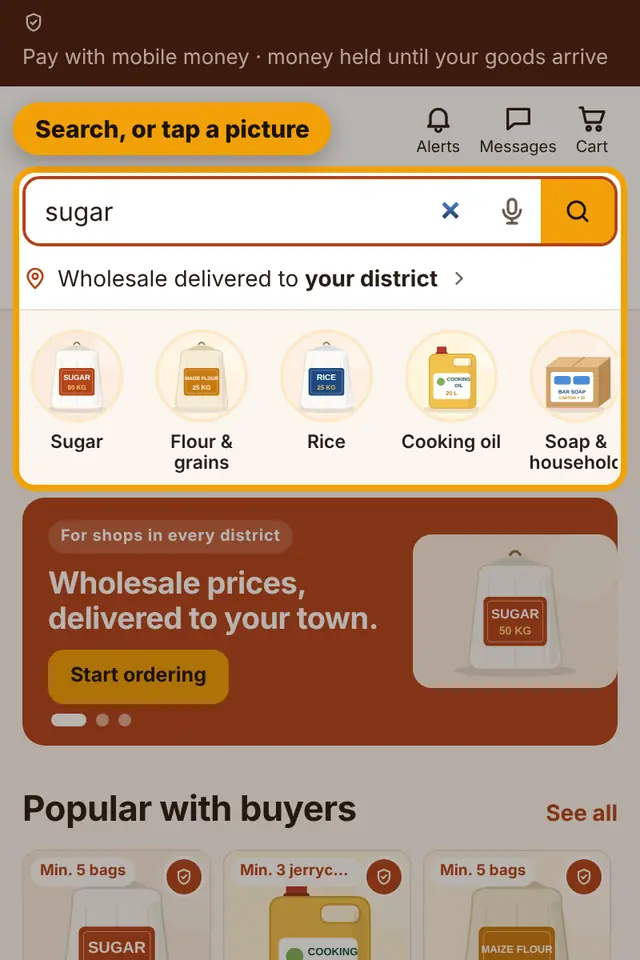
Type in the search box (for example "sugar 50kg" or "exercise books"), or open Categories. You can sort by price and see sellers near your district.
I can't find a product
Send a quote request: say what you need and how much. Suppliers send you their prices.
Can I save products for later?
Tap the heart on a product to save it. Find them in My account › Saved. You can also follow a search to hear when new products arrive.
What is the minimum order?
Each product shows its minimum quantity and the price for bigger quantities. Buying more often gives a lower price per piece.
Ordering and paying
How do I order?
Add products to your cart, open the cart, choose how the goods should reach you, then pay with mobile money (MTN or Airtel).
Is my money safe?
Yes. MarketPort holds your payment. The supplier is paid only after you receive your goods and confirm. See How payment protection works.
Where are my invoices and receipts?
In My account › Payments. You can download or print them.
My payment did not go through
Check you approved the request on your phone and had enough balance. Open the order and try again. If money left your account but the order still says unpaid, report it in Problems.
Delivery
How do goods reach me?
By bus, taxi, a MarketPort agent or an agent shop near you. You choose when you order.
How do I track my order?
Open Orders (bottom menu). Each order shows its steps: paid, accepted, sent, ready to collect, received.
What is the delivery code?
Each paid order has a 6-digit code. Give it to the agent, agent shop or supplier only after you have checked your goods. The code confirms delivery and pays the supplier.
What if I don't confirm?
If you don't confirm or report a problem, the payment goes to the supplier 7 days after the goods were sent.
Problems and refunds
My goods are missing, wrong or damaged
Open the order and choose the problem, or go to Problems. Report within 2 hours of receiving. Add photos. MarketPort keeps the money held until it is solved.
How do refunds work?
If the problem is accepted, your refund shows in My account › Orders › Refunds and is sent back to your mobile money.
How do I report a seller or product?
Use Problems, or tell support with the shop name and what happened.
My account
Where do I change my name or district?
Open My account › Settings. Your district helps us show sellers and delivery near you.
Can I change my phone number?
You sign in with your phone number, so only MarketPort support can change it. Contact us below.
How do I stop emails or WhatsApp messages?
In My account › Settings › Notifications you can turn product emails and WhatsApp messages on or off.
How do I sign out?
Open My account › Settings and tap Sign out at the bottom.
How do I delete my account?
Sign in, open My account › Settings and choose Delete my account. Suppliers find it in Shop settings.
Selling on MarketPort
How do I start selling?
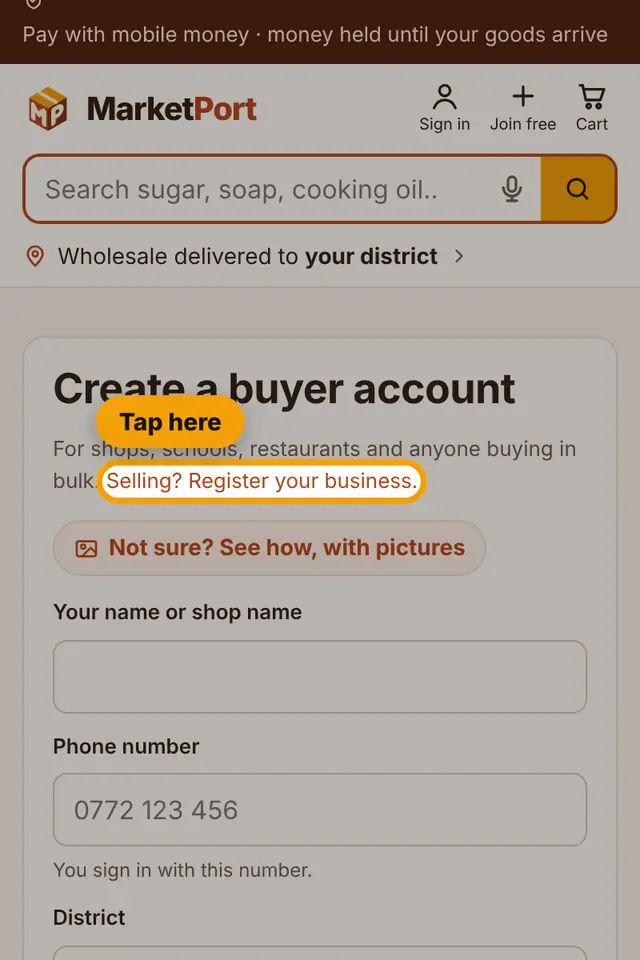
Choose Sell on MarketPort, register your business, then send your ID and a photo of your shop. When MarketPort approves you, your products appear to buyers.
How much does it cost?
Listing is free. MarketPort takes 5% when you sell, and you are paid to mobile money after the buyer confirms delivery.
How do I add products?
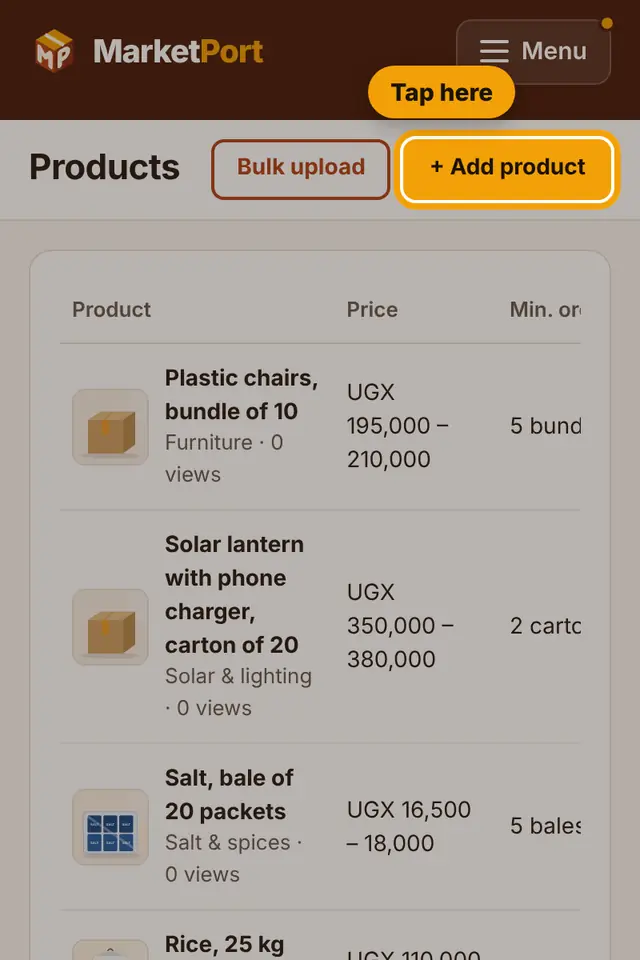
In your dashboard open Products › Add product. Add clear photos, a short video if you have one, your bulk prices and the minimum quantity.
What is the sales assistant?
It answers buyers' questions in the chat for you, day and night, using your products and prices.
No answer matches that. Try another word, or contact us below.
Still need help?
MarketPort support is happy to help.
How MarketPort works · Terms and Conditions · Privacy Policy